New Marlow FM app just out - lock screen controls are here!
With new version 1.14, you can now control the audio from your device’s lock screen, the screen that appears after the device has gone to sleep and you wake it up. The lock screen interface lets you play or pause; the app still lets you play or stop. So you’ve got a choice now!
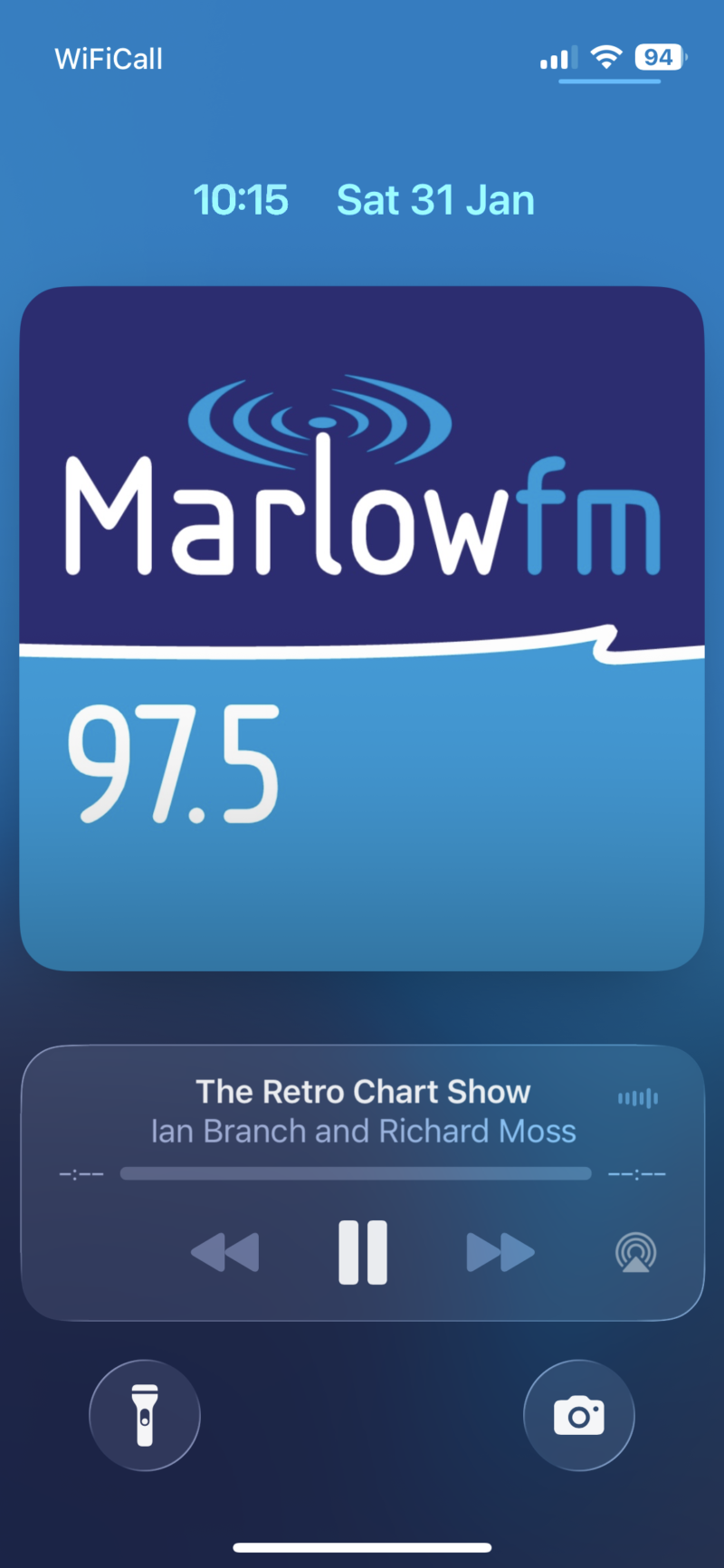
On the iOS (Apple) version, tapping the artwork or logo on the audio interface toggles between different displays - small or large. Tapping the AirDrop icon lets you stream from your device to any Apple TV you have on your network. And tapping the text on the audio interface takes you back to the app.
On the Android version, tapping the small audio interface opens a large one. Tapping the ‘Media output’ button lets you stream from your device to any other Google audio device you have on your network. And tapping elsewhere on the large audio interface takes you back to the app.
Marlow FM volunteer Luke Morton, who built the app, said: “Thanks for waiting! We know lots of you were holding out for these new controls, so now’s the time to give our app a go! As well as making it really easy to listen to your community radio station wherever you are in the world, and to get in touch with the studio, the app’s got a lot of useful local information too, like travel, weather, and MyMarlow news. Download or upgrade it today!”